
Introduction
With the rapid advancements in artificial intelligence, developers are increasingly leveraging AI models for various applications, including text generation. One such powerful tool is the Gemini API, which provides robust functionalities for generating human-like text based on prompts. This tutorial will guide you through the steps to implement basic text generation using the Gemini API, showcasing its capabilities through practical examples.
Simple Text Generation
This snippet demonstrates how to generate text from a simple prompt using the Gemini API, showcasing the basic interaction with the model.
def simple_text_generation(client):
    """
    Generate text from a simple prompt.

    Args:
        client: The initialized Gemini client
    """
    prompt = "Explain what artificial intelligence is in 3 sentences."

    # Make the API call
    response = client.models.generate_content(
        model='gemini-2.5-flash',
        contents=prompt
    )

    # Access the generated text
    print(f" Response:\n{response.text}")

    return response
Whether you’re building chatbots, content creation tools, or even programming assistants, understanding how to effectively use the Gemini API will enhance your development toolkit. By the end of this guide, you will have a solid foundation in generating text and crafting prompts that yield the best results from the model.
📚 Recommended Python Learning Resources
Level up your Python skills with these hand-picked resources:
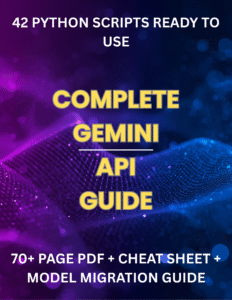
Complete Gemini API Guide – 42 Python Scripts, 70+ Page PDF & Cheat Sheet – Digital Download
Complete Gemini API Guide – 42 Python Scripts, 70+ Page PDF & Cheat Sheet – Digital Download
ACT Test (American College Testing) Prep Flashcards Bundle: Vocabulary, Math, Grammar, and Science
ACT Test (American College Testing) Prep Flashcards Bundle: Vocabulary, Math, Grammar, and Science
Leonardo.Ai API Mastery: Python Automation Guide (PDF + Code + HTML
Leonardo.Ai API Mastery: Python Automation Guide (PDF + Code + HTML
100 Python Projects eBook: Learn Coding (PDF Download)
100 Python Projects eBook: Learn Coding (PDF Download)
HSPT Vocabulary Flashcards: 1300+ Printable Study Cards + ANKI (PDF)
HSPT Vocabulary Flashcards: 1300+ Printable Study Cards + ANKI (PDF)
Prerequisites and Setup
Before diving into the implementation, ensure you have the following prerequisites:
Creative Writing Example
This snippet illustrates how to craft a creative prompt for generating poetic content, emphasizing the model’s versatility in handling different writing styles.
def creative_writing(client):
    """
    Use Gemini for creative content generation.

    Args:
        client: The initialized Gemini client
    """
    prompt = """Write a short haiku about programming.
Make it thoughtful and capture the essence of coding."""

    response = client.models.generate_content(
        model='gemini-2.5-flash',
        contents=prompt
    )

    print(f" Response:\n{response.text}")

return response- Python 3.9 or higher installed on your machine.
- A valid API key from Google’s AI Studio. You can obtain your API key from here.
- The pip package manager to install the necessary libraries.
Installation
To use the Gemini API, you need to install the google-genai library. You can easily install it using pip:
pip install google-genaiConfiguring Your API Key
Your API key is essential for authenticating requests to the Gemini service. You can configure your API key either as an environment variable or hard-code it into your script (though the latter is less secure). If you choose to use an environment variable, set it as follows:
- Windows:
set GEMINI_API_KEY=your_api_key_here - Mac/Linux:
export GEMINI_API_KEY=your_api_key_here
If you opt to pass the API key directly to the client, remember to replace YOUR_API_KEY_HERE with your actual API key in the script.
Core Concepts Explanation
The Gemini API provides several endpoints for generating content based on user-defined prompts. The core concept lies in how you structure these prompts to get the desired output. The key functions we will explore include:
Structured Information Request
This snippet shows how to request organized and formatted responses from the API, demonstrating the importance of clear prompt structuring for specific outputs.
def structured_information(client):
    """
    Request structured information from Gemini.

    Args:
        client: The initialized Gemini client
    """
    prompt = """List 5 benefits of using AI APIs in software development.
Format your response as a numbered list with brief explanations."""

    response = client.models.generate_content(
        model='gemini-2.5-flash',
        contents=prompt
    )

    print(f" Response:\n{response.text}")

return response- Simple Text Generation: This is the most straightforward interaction with the API, where a single prompt elicits a direct response.
- Creative Writing: Crafting prompts that encourage imaginative responses, demonstrating the model’s versatility.
- Structured Information Requests: Asking the model to provide organized information, which requires clear and precise prompting.
- Code Generation: Utilizing the API to assist in programming tasks by generating code snippets based on user prompts.
Step-by-Step Implementation Walkthrough
Let’s dive into the implementation of the Gemini API with two main scripts: one for setup and testing the API connection, and another for demonstrating text generation capabilities.
Code Generation
This snippet demonstrates how to use the Gemini API for programming assistance by generating a Python function, highlighting its utility for developers.
def code_generation(client):
    """
    Generate code with Gemini.

    Args:
        client: The initialized Gemini client
    """
    prompt = """Write a Python function that calculates the fibonacci sequence
up to n numbers. Include docstring and comments."""

    response = client.models.generate_content(
        model='gemini-2.5-flash',
        contents=prompt
    )

    print(f" Response:\n{response.text}")

    return response
Setup and Connection Test
The first script, 01_setup_and_test.py, ensures that your environment is ready for interaction with the Gemini API. It includes functions to check for the API key and test the initial connection. This step is crucial to verify that you can successfully communicate with the API before trying to generate content.
Basic Text Generation
Once your setup is complete and verified, the next script, 02_basic_text_generation.py, demonstrates how to generate text using the Gemini API. The script includes several functions showcasing different types of content generation.
In the simple_text_generation function, you will see how to send a basic prompt to the API and retrieve the generated text. For example, asking the model to explain artificial intelligence succinctly demonstrates how the model interprets straightforward queries.
Following that, the creative_writing function illustrates how to craft prompts for more artistic outputs, such as generating a haiku. This showcases the flexibility of the Gemini model in handling various writing styles, indicating its utility in creative applications.
Advanced Features or Optimizations
To maximize the effectiveness of your text generation, consider exploring advanced prompt engineering techniques. The way you phrase your prompt can significantly influence the quality of the response. Here are some strategies:
Understanding Response Structure
This snippet helps users understand the structure of the API response, which is crucial for effectively accessing and utilizing the generated content.
def understand_response_structure(response):
    """
    Examine the structure of a Gemini API response.

    Args:
        response: A response object from the Gemini API
    """
    print("\n[STATS] Response Components:")

    print(f"\n1. response.text (the generated text):")
    print(f"   Type: {type(response.text)}")
    print(f"   Length: {len(response.text)} characters")

    print(f"\n2. response.candidates:")
    print(f"   Number of candidates: {len(response.candidates)}")

    if response.candidates:
        candidate = response.candidates[0]
print(f" First candidate finish reason: {candidate.finish_reason}")- Be Specific: The more detailed your prompt, the more focused the response. Instead of asking for a general description, specify the context or format.
- Use Examples: Providing examples in your prompt can guide the model towards the desired output style or structure.
- Iterate and Refine: Experiment with different prompts and refine them based on the responses you receive. This iterative approach can lead to improved results over time.
Practical Applications
The capabilities of the Gemini API extend beyond simple text generation. Here are some practical applications you might consider:
Comparing Different Prompt Styles
This snippet illustrates the impact of prompt specificity on the quality of the generated output, emphasizing the importance of prompt engineering for better results.
def compare_different_prompts(client):
    """
    Show how different prompt styles affect the output.

    Args:
        client: The initialized Gemini client
    """
    vague_prompt = "Tell me about Python."
    response1 = client.models.generate_content(
        model='gemini-2.5-flash',
        contents=vague_prompt
    )

    specific_prompt = """Explain Python's list comprehension feature.
Include:
1. What it is
2. Basic syntax
3. One practical example
Keep it under 100 words."""

    response2 = client.models.generate_content(
        model='gemini-2.5-flash',
        contents=specific_prompt
    )

    print(f"\n   Response (vague): {response1.text[:150]}...")
print(f"\n Response (specific): {response2.text}")- Chatbots: Create conversational agents that can respond to user queries with contextually relevant information.
- Content Creation: Automate the generation of articles, blog posts, or social media content based on specific topics.
- Educational Tools: Develop applications that provide explanations or summaries of complex subjects, aiding in learning.
- Programming Assistance: Use the API to generate code snippets or explain programming concepts, streamlining the development process.
Common Pitfalls and Solutions
As you work with the Gemini API, you may encounter some common challenges. Here are a few pitfalls to be aware of and their solutions:
- API Key Issues: Ensure that your API key is correctly configured. If you’re receiving errors, double-check the method of configuration and ensure the key is valid.
- Unclear Responses: If the generated text doesn’t meet your expectations, revisit your prompt. Adjusting the specificity or style can often yield better results.
- Rate Limits: Be mindful of the API’s rate limits. If you’re making numerous requests, consider batching them or implementing a delay to avoid hitting usage caps.
Conclusion
In this tutorial, we’ve explored the Gemini API for text generation, covering the essentials from setup to practical implementations. By understanding how to effectively craft prompts and leverage the API’s features, you can create powerful applications that harness the capabilities of AI in text generation.
As you move forward, continue experimenting with different prompts and applications. The potential of the Gemini API is vast, and with practice, you can unlock its full potential for your projects. Whether for creative writing, chatbots, or programming assistance, the Gemini API can be a transformative tool in your development arsenal.
Happy coding!
About This Tutorial: This code tutorial is designed to help you learn Python programming through practical examples. Always test code in a development environment first and adapt it to your specific needs.
Want to accelerate your Python learning? Check out our premium Python resources including Flashcards, Cheat Sheets, Interivew preparation guides, Certification guides, and a range of tutorials on various technical areas.


 Chat on WhatsApp